I Built a Study Tool While Preparing for CompTIA A+ — Now It's Open Source
2026-02-22 by Vincent Ping en cnIn December 2025, I enrolled in Per Scholas' IT Support training program in Chicago, with the goal of earning both the CompTIA A+ and Google IT Support certifications by the end of March 2026.
The schedule is intense — five days a week, 9am to 4pm in class, plus two to three hours of homework every evening. It's demanding, but the full-time structure keeps me fully immersed, and I can feel myself improving every single day.
The coursework involves a lot of hands-on practice: labs, unit quizzes, cumulative tests, and more. These exercises don't just reinforce concepts — they simulate real-world IT scenarios that sharpen problem-solving skills.
Of course, mistakes are part of the process. I needed a way to capture the questions I got wrong so I could come back and review them intentionally, not just hope I'd remember.
I started by copying wrong answers into a document. It worked at first, but as the list grew, the limitations became obvious. It was passive — I could only review questions in the order I wrote them down, with no way to quiz myself interactively or filter by topic.
So I built a tool. Using Python and the PySide6 framework, I put together a simple wrong-answer practice app and started entering questions one by one. That gave me the ability to draw random questions, flag ones that needed extra attention, and actually practice rather than just re-read.
The tool made a real difference during my Core 1 exam prep, and I passed.
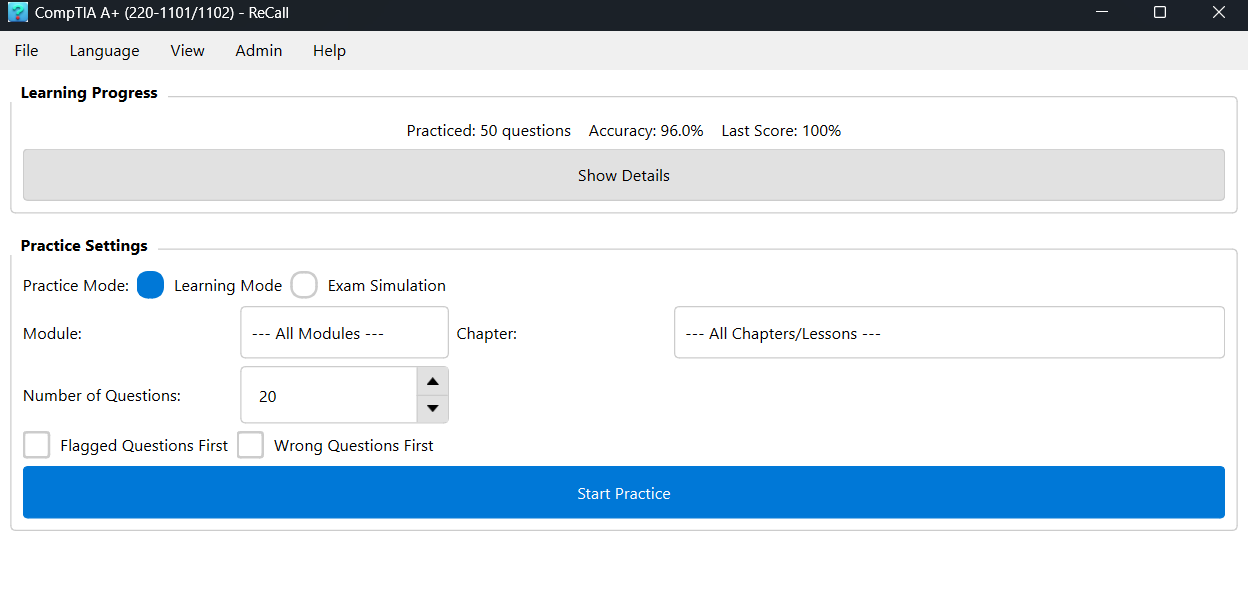
For Core 2 — which covers even more ground — I kept improving it based on how I was actually using it. Here's where it stands now:
- Multiple exam databases — Core 1 and Core 2 can be managed separately, each with its own modules and chapters
- Question management — Add questions manually or batch-import from a Markdown file
- Two practice modes — Learning mode gives instant feedback after each question; Exam Simulation is timed and graded at the end, just like the real thing
- Progress tracking — The home screen shows overall accuracy, per-module mastery, and automatically flags weak areas
- Bilingual interface — English and Chinese, with light and dark themes
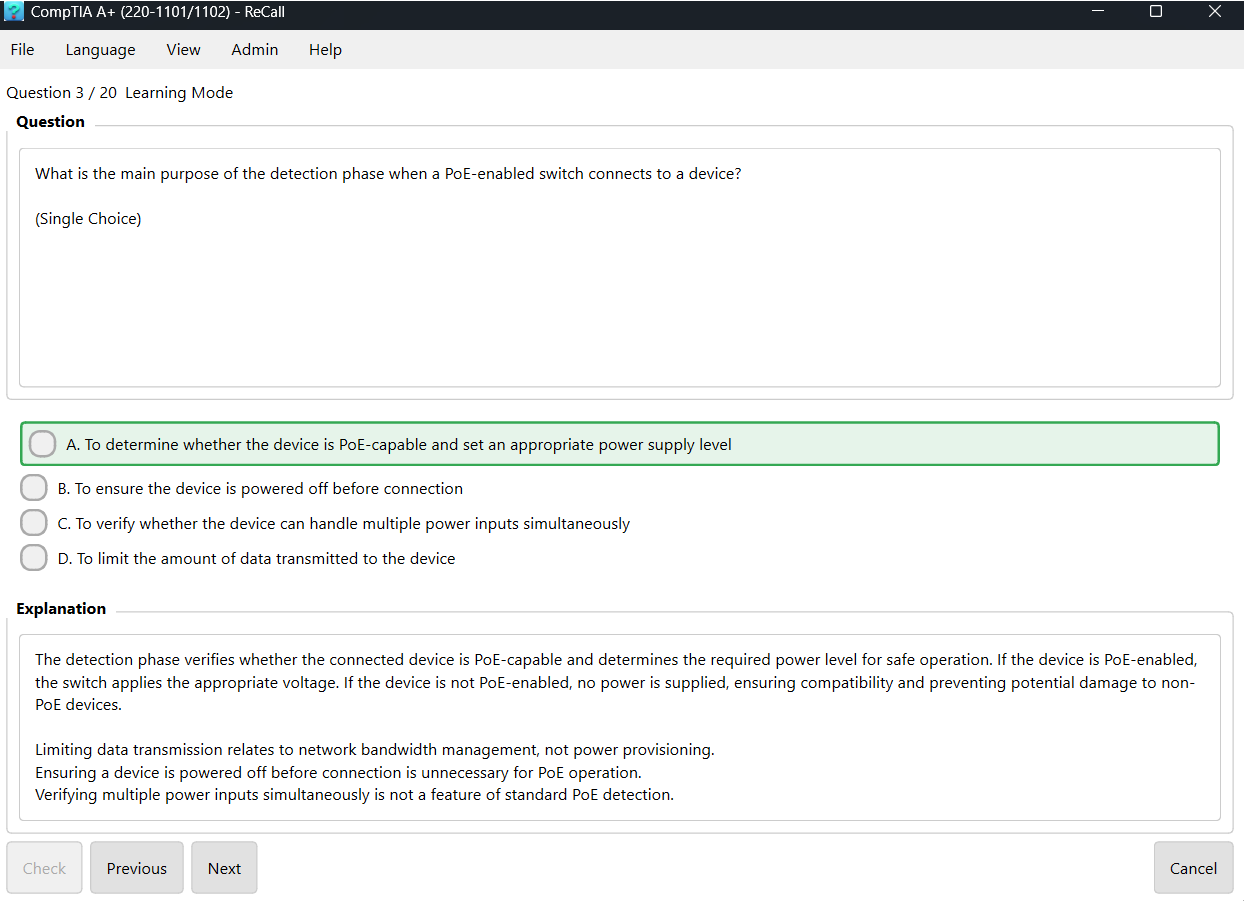
I named it ReCall — Know it when it counts. It's now open source on GitHub, free to download and use:
https://github.com/vincentping/recall
Windows users can download the pre-built executable directly from the Releases page — no Python installation required, just unzip and run.
This project will be further improved in the future, and I hope to add the following features:
- Richer analytics — error trends, progress curves across sessions, and a clearer picture of how your mastery improves over time
- AI-assisted review — using AI to explain weak areas in depth, or to intelligently recommend what to study next based on your performance
If you're preparing for an IT certification — or just need a better way to practice what you're getting wrong — feel free to download and try it out. If you run into any bugs or have ideas for improvement, I'd love to hear from you on GitHub Issues.